 RF
RFrf_sentinel / android-auto
Android Auto
A driver-safe, template-based Android Auto app: what's around you, on the car screen, with alerts through the car speakers.
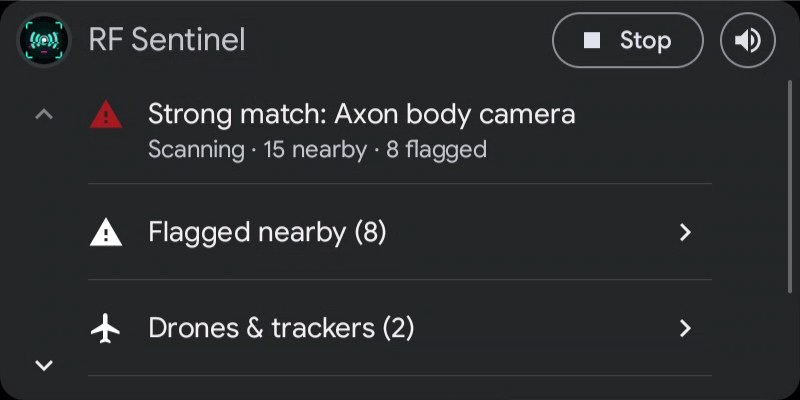
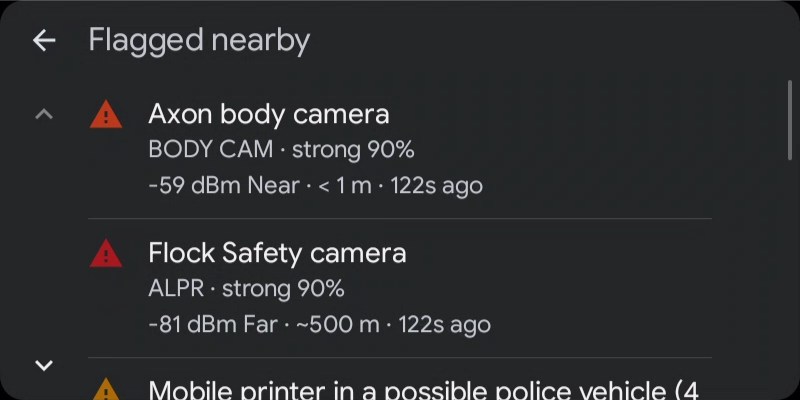
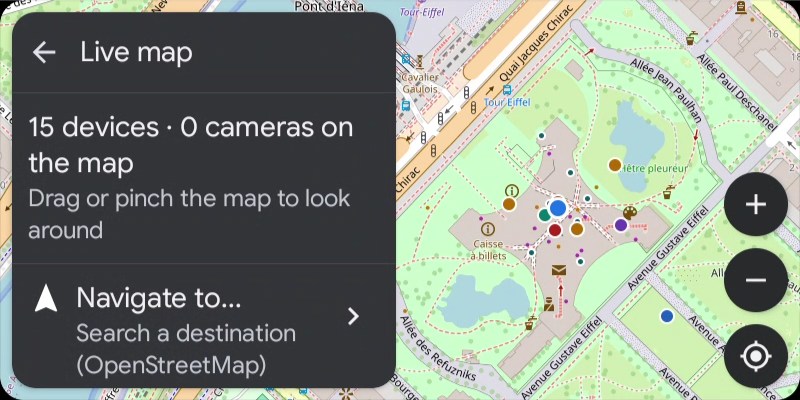
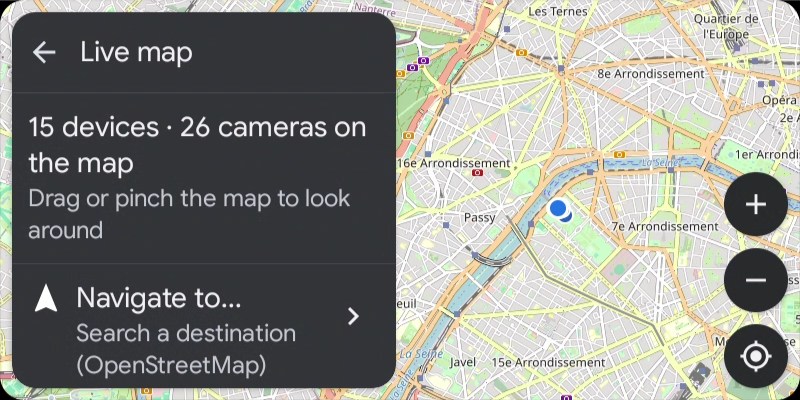
Demo data.
Screens
- Home: threat headline, live counts, Start/Stop, and a speaker button that mutes or unmutes all alert sound.
- Device lists: flagged, drones & trackers, all nearby; device details with Whitelist, Watch and Favorite. Navigate hands drones with a known position to your navigation app.
- Live map: RF Sentinel's own OpenStreetMap map on the car screen with devices in list / radar colours, plate-reader, speed and red-light cameras, and your position. Drag, pinch or + / −; ◎ follows the car again. Needs car API level 7; older Android Auto gets car-drawn maps with device and camera lists.
- Navigation: Navigate to... searches with Nominatim (on submit only, no search-as-you-type), keeps recent destinations on the phone, routes with OSRM, draws the route with next turn, ETA and distance, speaks turns and re-routes.
- Alerts: heads-up cards on the car screen, spoken through the car speakers as navigation guidance audio, briefly lowering music.
Setup for a sideloaded app
- Open Android Auto settings on the phone.
- Tap Version ten times to unlock developer mode.
- ⋮ → Developer settings → enable Unknown sources.
- Install (or reinstall) the APK, open RF Sentinel once on the phone, reconnect to the car.
- Still missing? Customize launcher may list it under hidden apps.
Auto start
Settings → Start scanning automatically in the car: scanning starts when the phone connects to your car's Bluetooth or to Android Auto, and stops when you leave if the car started it.
Navigation privacy
Nominatim and OSRM see the search, your position and destination, and your IP address, only when you search or start a route. They never see your scans.